
First Steps
Plugins Installation
Required plugins are very important and must be installed and activated at all times for the theme to work properly.
The theme requires the following plugins.
- Elementor: Create a unique website that has a certain “Designer Touch”. Create anything with the extensive tools of Elementor.
- RTMKit Addons: Extra elements and extensions for Elementor Builder.
- RTMKit PRO Addons: An exclusive plugin that extends the Theme Builder functionality for the Elementor builder. It normally costs $129, but it’s included for free with all Rometheme themes.
- RTMForm: is a powerful drag & drop form builder plugin, included for free with all Rometheme themes
Important: Plugin is fully featured so you don't need to purchase any additional license or register the product.
1. Install Plugins Recruited
- Ensure that you install and activate the following required plugins: Elementor, RTMKit, RTMForm, and RTMKit Pro.
- Click Install Plugin to complete this step.
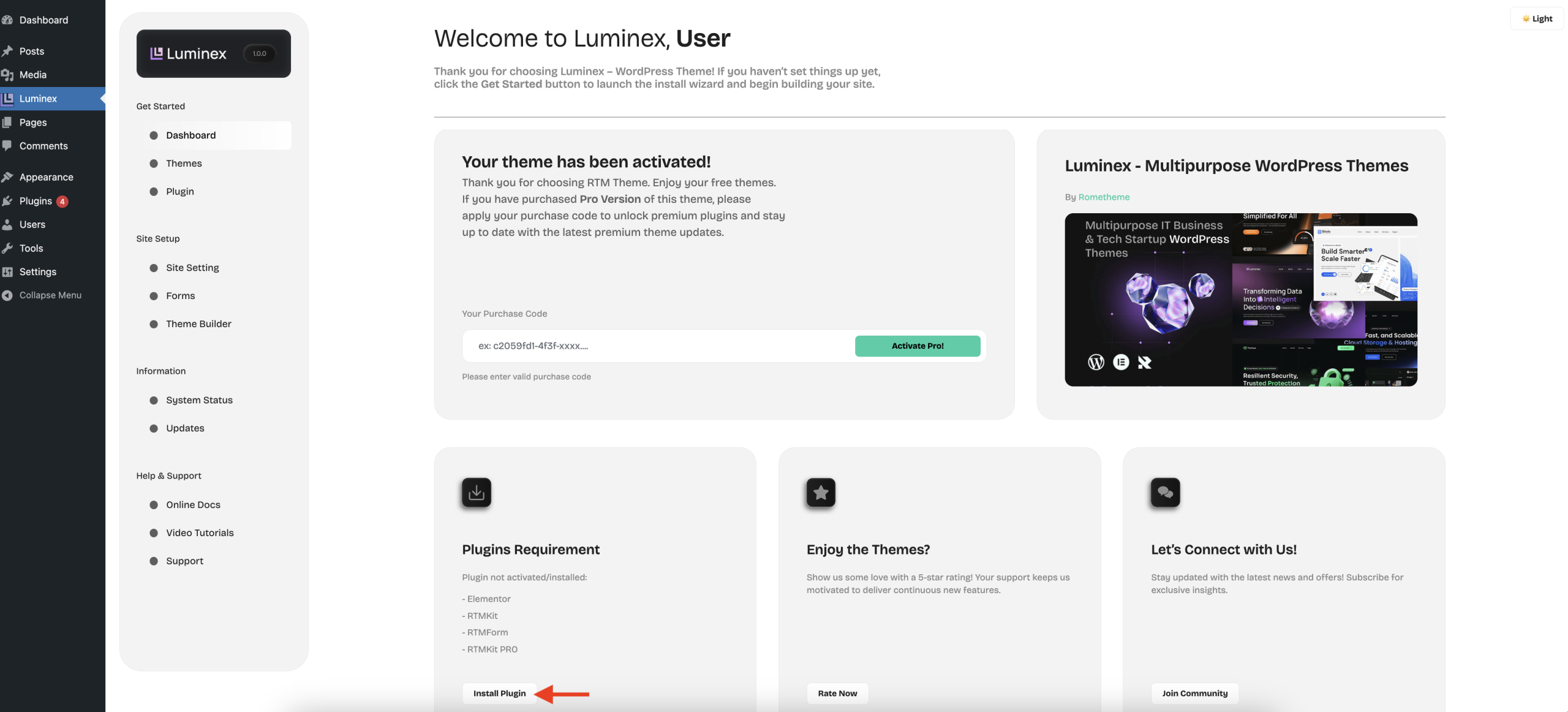
- If the plugin is successfully installed and activated, the plugin status will change to Plugin Installed.
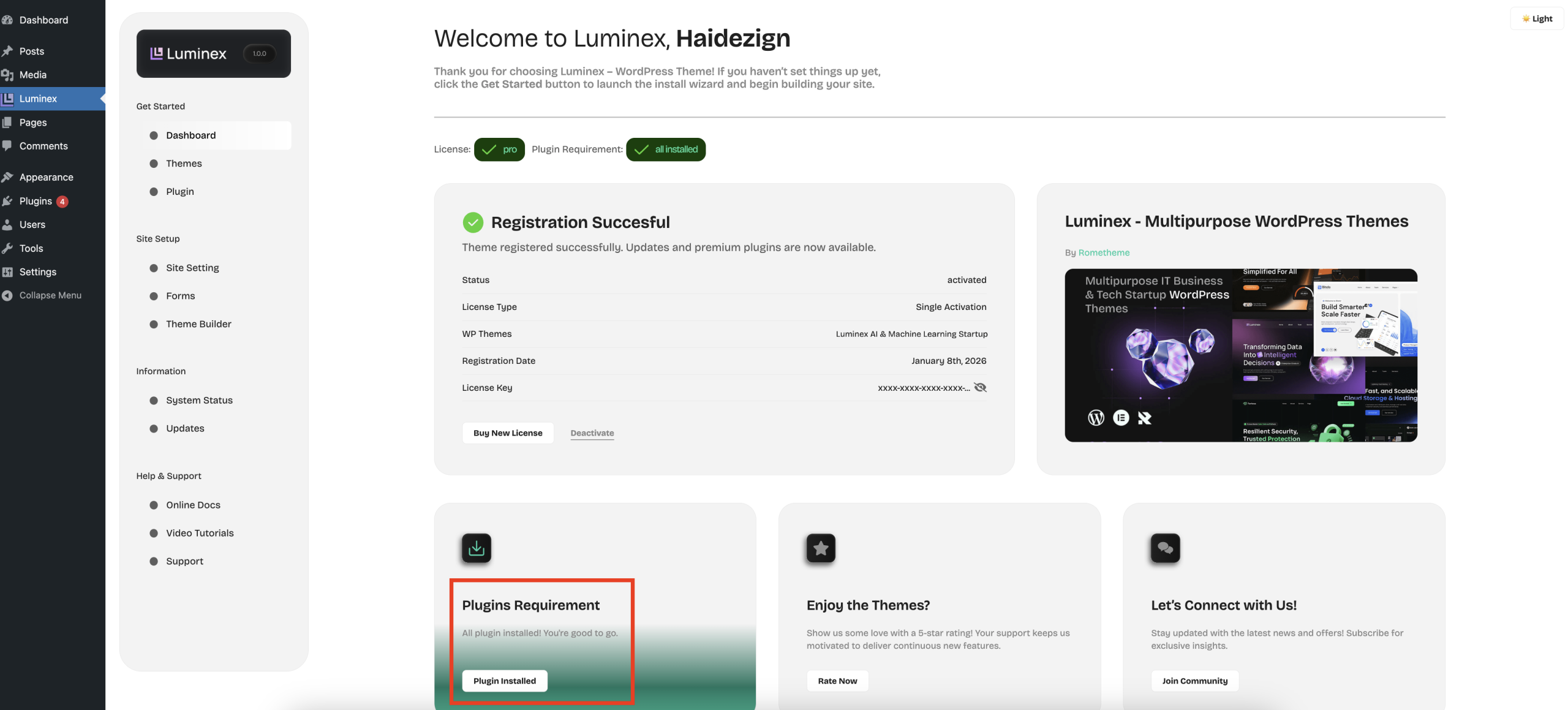
- Next, you can proceed to Import the Theme.
