
How to Fix Error When Trying to Import Theme Demos After Update WordPress 7.0
Are you experiencing an error when trying to import theme demos after update WordPress 7.0? Don’t worry, by following this tutorial you can easily fix the issue so the demo import process runs smoothly without any problems.
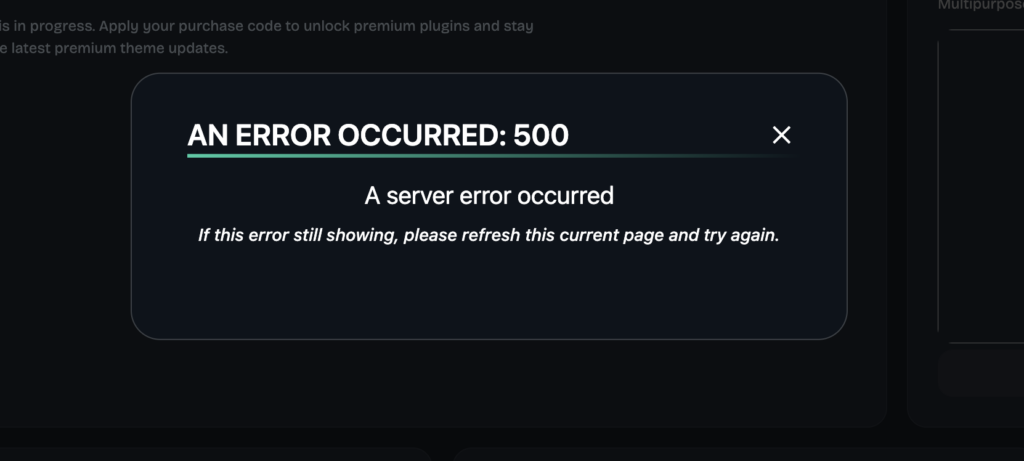
- Make sure you download the latest version of the item you purchased.
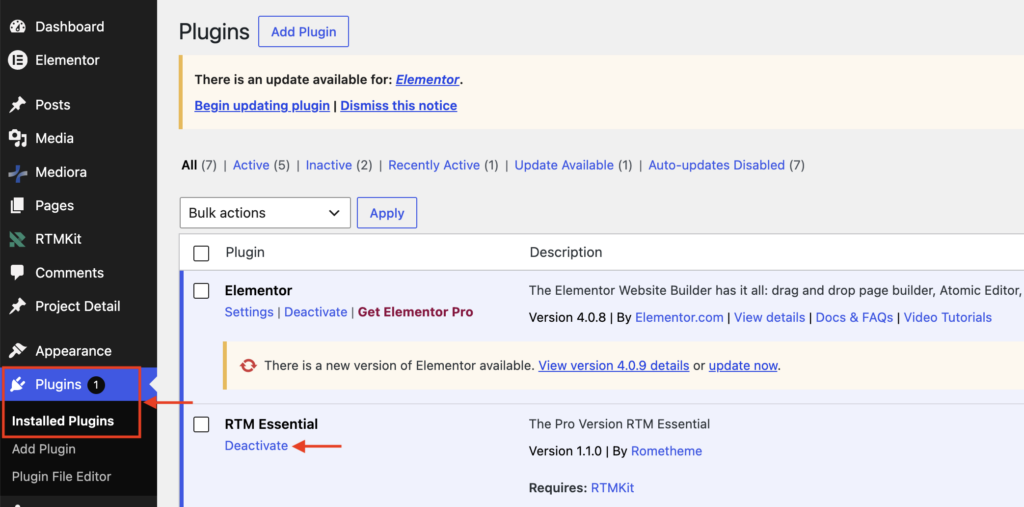
- Then go to Plugins → Installed Plugins → deactivate the RTM Essential Plugin and delete it.
- You also need to deactivate and delete the RTMCore Essential plugin (if it still exists) because it is still using an outdated version.
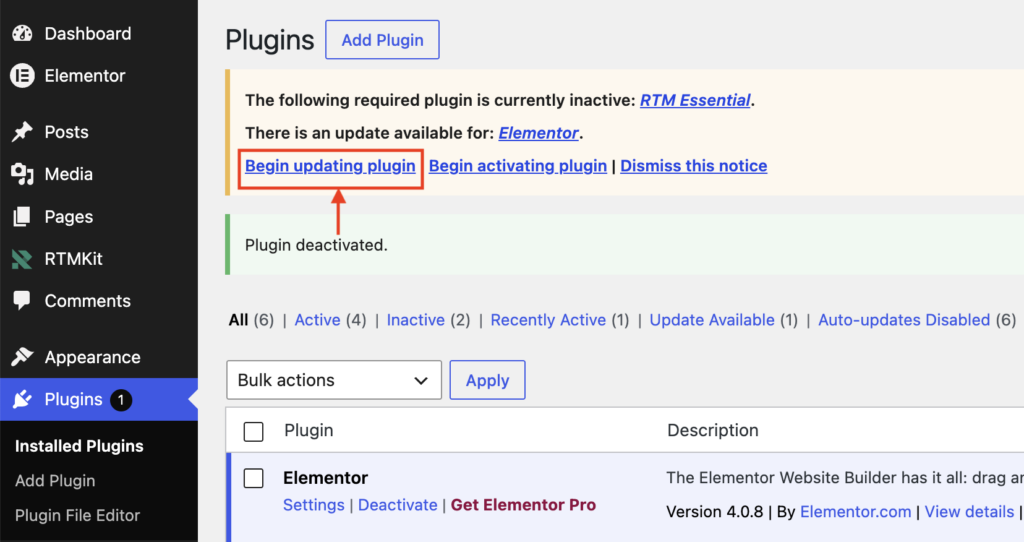
- At the top of the page, click the “Begin Updating Plugin” button.
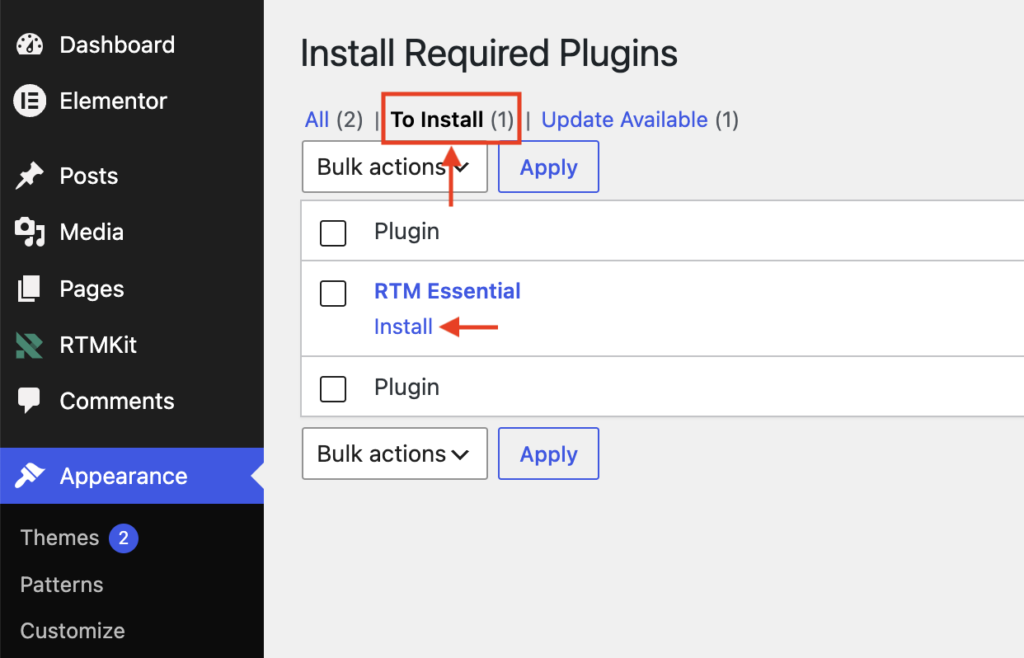
- Click the To Install Tab, then click the Install button on the RTM Essential Plugin.
- Make sure to Reactivate the latest version of the RTM Essential plugin (v1.1.0 or Higher).


- Your theme has been successfully imported and the Dashboard page will now be displayed.

- To continue activating the theme, you can click the link below for the Theme Activation tutorial.
